Showing posts with label Technology. Show all posts

Sunday, May 24, 2020

Video Conferencing Etiquette


Video Conferences: How to look and act your best in video conferences or media interviews. Remote working these days often involves video conferences - here are some tips to go through it in a professional manner.

Video is not always the medium of choice. The question is: What is the purpose of the conference? Getting to know each other? Then video makes sense because it builds up closeness faster. Is there a joint discussion?
Be Prepared
Have all your talking points and documents ready beforehand. If your colleagues need to see a document, send it before the call and make sure everyone has access to all the necessary data prior to the video meeting.

  • Check Your Background
    Try to turn your working space, especially the background from which you talk, into a more professional area. Move plants to the side and let not everyone peak into your bookshelf, filled with romance or political and religious books. If you’re using Zoom, you can even switch to a virtual background.
  • Be on “Eye Level” With the Camera Lens
    No one looks good when filmed from underneath, showing mainly chins and noses… Always look at the camera whether you are listening or talking.
  • Lighting
    An important aspect of any successful video meeting will be proper illumination with minimal glare. Poor lighting could leave your audiences in the dark. Go for natural illumination; however, make certain that it will not distract the participants on the opposite side.
  • Dress Accordingly
    As the representative of your organization, dress in a way that will not jeopardize the prestige of your company. For example, no large patterns, loud colors, and t-shirts.
  • “Public Appearance”
    Never say or do anything near a camera that you wouldn’t want broadcast to millions. Avoid political, religious, or risqué topics. After all, you are on the Internet, which means video might stay there forever
  • No Distractions
    Make sure that your cell phone is kept in the silent mode, that your kids are kept away, as well as dogs or cats, during the conference.  Eliminate background noises while the conference is going on, and minimize any echo from the microphone. Practice patience and refrain from speaking while others are expressing themselves.


    More Tips:
  • Make sure to adopt a LAN cable that will help guarantee a stable Internet connection.

  • Top-quality video conferencing software such as ezTalks Cloud Meeting will aid in facilitating proper business communication.
  • Before your video conference, take some time to save your work, close any apps and programs you won’t need or contain personal data, or use too much CPU power.
  • Clean up your screen: If you’re going to share your screen during a video call, take extra precautions so people can’t see anything private or potentially embarrassing.
  • Test your internet speed with Fast.com or Speedtest.net. If you’re not getting enough speed, move closer to your Wi-Fi router.
  • If you’re going to be a part of online meetings every day, you might want to consider buying a better camera and/or headset.
  • Use headphones or earbuds when you’re on a video call. Because of the close proximity to your mouth, it will sound better than using your laptop’s built-in microphone.
  • Only one conversation at a time, let people finish, otherwise, no one will understand anything in the end.
  • Start videos! This way everyone can see themselves, experience reactions, and feel part of the team.
  • If you look at the screen, everyone feels personally addressed and involved
  • Working remotely can be tiring: schedule more but shorter breaks

Start the day with a short online meeting, a so-called check-in. Here the tasks of the day can be discussed, but also personal matters. End the day with a final meeting, the checkout. This clearly defines the border between work and leisure time.


Video is also useful - the voice is complemented by facial expressions. Is it just about communicating something? Then it is enough if the presenters are visible - the rest listens without video. Personal conversations are often most effective simply as a phone call, especially if you already know each other.


<><><><><>


111 Tips to Create Impressive Videos:
How to Plan, Create, Upload and Market Videos 
https://www.books2read.com/u/3GYnpa
https://www.amazon.com/dp/B07BYDH41S/


.


Friday, May 8, 2020

What Comes After Corona?


Two smart Europeans envision a better economic, sustainable, and fairer world after Corona - with a cleaner, more efficient infrastructure and more new jobs.
Such technologies have long been available.
 How it should look like:

  • Clean technologies pay for themselves thanks to the energy and resource savings they bring. Investing in this new infrastructure is therefore not a cost, but an opportunity to secure profits for industry while reducing individual spending.
  • We can build a stable renewable energy network based on solar energy, geothermal energy, biomass, marine energy, and wind power. And the possibilities go much further.
  • We can equip ports with a shore to ship electricity to reduce emissions from shipping, build charging stations for electric cars and hydrogen filling stations.
  • We can set higher efficiency standards for all types of appliances, reduce the energy consumption of buildings through efficient heating, ventilation, and air conditioning systems or innovative and intelligent technologies for insulating or shading facades.
  • We can help our farmers modernize to use fewer pesticides and at the same time help protect our environment by producing healthy products.
  • Such technologies have long been available. This is demonstrated, for example, by some of the solutions already selected by the Solar Impulse Foundation in the #1000solutions competition.

A "Keep it up!" as a rescue package after this crisis cannot be the answer. 
We need to do better - changing over to emission-free resources that we
received from "Mother Nature" at no cost!


<><><><><>

Sunday, December 29, 2019

How People Read Web Content - Might Surprise You...


How People Read Online Content? 
They don’t read at all - they only scan…

6 Facts About Reading Online:

  • Web-users focus 80% of their time ABOVE the page fold - barely any scrolling…
  • Most web visitors look at 100% of the visuals (photos, slides, graphics)
  • While the average adult reads about 250 words per minute (one page) - the average person will read less than 62 words on a web page
  • Use high-quality, large images on your website - and place the most important content ABOVE the fold
  • On your website use bold, italics or pops of color to highlight important content.
  • Use numbered and bulleted lists on your website to structure your content
.


See the complete Infographic here:

https://www.slideshare.net/BoostTheNews/how-people-read-online


.
<><><><><>

.


Books by Doris-Maria Heilmann:


Audiobooks for Success
Valuable guide book for authors, audiobook publishers, narrators, voice-over artists, and audiobook listeners. Learn how to create, produce, publish, and market your audiobooks.


111 Tips to Create Impressive Videos:
How to Plan, Create, Upload and Market Videos
https://www.books2read.com/u/3GYnpa


111 Tips To Make (More) Money With Writing
The Art of Making a Living Full-time Writing -
An Essential Guide for More Income as Freelancer
https://books2read.com/u/bWZMjz
https://www.amazon.com/dp/1988664187


111 Tips on How to Market Your Book for Free:
Detailed Plans and Smart Strategies for Your Book’s Success
https://books2read.com/u/bMre1a


111 Tips to Get Free Book Reviews:
Best Strategies for Getting Lots of Great Reviews
plus 1,200+ reviewer contact links
https://books2read.com/u/mZ5nx5
https://www.amazon.com/dp/B018RA72LY/


111 Tips to Create Your Book Trailer
How to Create, Where to Upload and How to Market Your Videos
https://books2read.com/u/mVZkjr
https://www.amazon.com/dp/B07CHWX6X2/


Book Marketing on a Shoestring:
How Authors Can Promote their Books 
Without Spending a Lot of Money
https://books2read.com/u/mZ5gdp


Hello Friends, visit my Author Page here:


Monday, June 17, 2019

How to Choose the Best Web Hosting


Most site owners shop their web hosting by price.  A budget might be certainly an important thing to consider, but since the differences in hosting prices are negligible, there are other features and more important factors when choosing the perfect hosting.


PRICES
Many web hosting services let you choose from several types of packages, each with a different price and slightly different range of offerings. Prices can range from $4.25/month to over $40/month. These price differentials can be attributed to the different features included within each plan and to the eagerness of some newer hosting companies, to grow their brand by offering extremely low rates. 

CUSTOMER/TECHNICAL SUPPORT
Customer support in a web hosting service should be efficient and effective, as well as polite and responsive. Your hosting service should quickly answer when contacted and be able to solve your problems right away. 

CONTROL
Do you have all the access you need, and can you find all the functions you require for running your website?  Is there proper documentation and help articles?  Do you have a user-friendly control panel? 
The situation is ideal if you have full control of your site and can manage it on your own – most of the time.

SERVER FEATURES
A good hosting service offers both Linux and Windows servers and enables you to move between when necessary.

BACKUPS
Choose a hosting service that backs up your web content regularly.

BANDWIDTH AND DISK SPACE
Even if your site is small at the moment, you should look for a minimum of 5 GB of disk space and 250 GB of bandwidth from your web hosting plan. Many web hosts are offering an unlimited amount of both at a very favorable price. 

EASE OF USE
Choose a web host who‘s control panel is easy to use. 

RELIABILITY
Look for hosting services that guarantee uptime, and will tell you exactly how they implement this promise.


Four Popular Hosting Services:
  
iPage 
Best for: Small business owners and bloggers looking for a low-priced, feature-rich service to get their sites up quickly and affordable.
Best Value: $4.50/Month
Bandwidth: Unlimited
Disk Space: Unlimited
  
Just Host 
Best for: Inexperienced webmasters looking for a hosting provider with a well organized, easy-to-use user interface at an affordable price.
Best Value: $4.45/month
Bandwidth: Unlimited
Disk Space: Unlimited

BlueHost 
Best for: Webmasters looking for instant website setup, an intuitive control panel design and the option to purchase additional professional-grade site builders.
Best Value:$6.95/month
Bandwidth: Unlimited
Disk Space: Unlimited
  
Host Monster 
Best for: Professional or novice webmasters who require speedy customer phone support and are looking for a plan offering unlimited email accounts.
Best Value:$5.95/month
Bandwidth: Unlimited
Disk Space: Unlimited
  
The features offered by each provider, as well as the cost of their services, changes over time, so it is important to do your own vetting before deciding which service works best for your business.
.
<><><><><>

.


Sunday, February 12, 2017

How Silicon Valley Could Take Down Trump


Tech leaders in Silicon Valley know from personal experience how damaging 
Donald Trump’s immigration ban is for the United States because many of them were born somewhere else themselves. A 2016 study found that 51 percent of billion-dollar U.S. tech start-ups were founded by immigrants. Here are 11 chief executives and founders of tech companies who immigrated to the United States. See them all:

http://www.vanityfair.com/news/photos/2017/02/12-immigrants-behind-some-of-silicon-valleys-biggest-companies


What exactly could these companies do? The better question is: What couldn’t they? Google could ensure that search results around important topics, like immigration and the environment, point to the work of factual nonpartisan groups, not the nonsense from "fake-news" Web sites, or even messaging from the White House. For example, when people search “Is crime at an all-time high,” which Trump has falsely asserted, Google could ensure it sends users to F.B.I. data that shows that crime, in fact, has fallen steadily for decades.
Apple, likewise, could push an update out to Americans’ iPhones giving them an option to add contact information for their local and state officials. When you open Twitter in the morning, the social network could figure out how to marry contentious tweets with corresponding viewpoints. Amazon could mail everyone a copy of the U.S. Constitution. (At the very least, they could send a couple of copies to the White House.)


These are not partisan issues, but democratic ones. And modern brands, which purportedly stand for things, should be allowed to express a viewpoint in our post–Citizens United world—and they should also have the courage to do so confidently without fearing reprisals from investors on Wall Street.


For some tech companies, even the biggest ones, going up against the Trump administration is probably a little daunting. Take, for example, Trump’s taunts toward Amazon and Jeff Bezos.  “Believe me,” Trump said about Amazon during one of his public fulminations last year, “if I become president, oh, do they have problems; they’re going to have such problems.”

With Jeff Sessions as the attorney general and his alleged history of unethical statements and actions, you could easily imagine anti-trust threats being used to fend off a tech giant like Amazon. But at the end of the day, Trump isn’t going to want to do anything that could hinder his job growth. 


And going after a company that employs more than 268,000 people won’t be a smart move.


<><><><><>


Friday, November 25, 2016

Your FREE month of Amazon PRIME Membership


.
Amazon Prime Membership FREE Trial:
You will receive free two-day shipping year-round, including right before the holidays.  Not a member?  You can still reap the benefits of the deal when you sign up for a free one-month trial.  At the end of the Amazon Prime free trial or your chosen membership period, your card will be charged automatically for the next membership period.  Which means, as long as you order by December 22, your gifts should arrive in time.  Here are all the benefits of the membership:
  • Free Two-Day Shipping
  • No-Rush Shipping Credit
  • Guaranteed Delivery (Which Can Result in Free Prime)
  • Same-Day Delivery (in certain areas)
  • Restaurant Delivery: Get FREE one-hour delivery
  • Prime Video: unlimited streaming of movies and TV episodes
  • Kindle Owners’ Lending Library: access to members in the U.S.
  • Free Audible Channels for Prime
  • Music and Video add-on Subscription
  • Streaming Music, Movies, and Television Shows
  • Unlimited Cloud Photo Storage
  • Free Kindle eBooks
  • Early Access to Deals
  • Prime-Only Prices and Coupons
  • Prime Pantry
  • Amazon Family
  • Amazon Household
Best of all about Prime is that you can share nearly all the perks with another member of your household. Read also: Christmas Gift Shopping in 15 Minutes?

<><><><><>


Monday, September 5, 2016

Surprising Facts About Your Mac Computer


After a year, using my MacBook Air, got slower and slower, and the browser even froze. I checked out "All my files" and found out that most of my images where double, triple and some were even seven times stored! For hours and hours, I deleted images and files. Learning about your Mac computer, and using these tips from CleanMyMac will save you time and space on your Apple device - that I had wasted. Learn here about your Mac:
.
Your Mac computer has huge “ghost” folders
System files on your Mac’s hard drive take up easily 60 gigabytes on average, according to MacPaw engineers. These files are mostly useless — logs, caches, and application leftovers (like iTunes junk). And what’s even sadder, you can’t access them even if you have admin rights. Due to system errors OS X may sometimes lose permission and needs a cleaning.
.
Mac stores just everything
Every picture you viewed on Facebook or elsewhere on the web may stay on your Mac forever. Until you clean it manually. For instance, Twitter alone stores an image cache of many gigabytes within the depths of your Mac.  Even the most innocent websites store their cache in virtual memory, which means your Mac eventually gets slower.  And, the longer your apps work in the background, the more cache it generates.
Browsers are meant to collect cache data to give you a quicker access to the websites you’ve already visited. But very often this turns into real mess, resulting in browser freezing, persistent notifications, and pop-ups. Your Mac remembers everything you clicked, watched or even typed to your friends. Think of the chat history in your messengers. Some of them store data remotely on their cloud servers. To sum it up, a regular browser cleaning is a practice worth thinking about.
.
Some Apps Drain the Battery
Junk applications or a stealthy malware running in the background can drain your Mac’s battery faster. Surprised? Yes, Macs do get infected with junkware and there’s no easy way to get rid of it. Ironically, this may happen after you’ve downloaded an antivirus software (some free antiviruses can be a nightmare to delete).
.

Battery Issues:
Every application which heavily exchanges data with an online server is a potential battery-drainer. The same goes for numerous opened tabs in browser.  But if your battery dies too fast you shouldn't immediately rush to a store to buy a new one, there's still something you can do. First, go to Activity Monitor app and check which programs are using more power. Quit and uninstall all the unused vampire applications.
.

Your Mac Loves Copies.
iTunes and Photos being generally superb tools, but have a strange habit of creating excess copies of files whenever they can. For example, if you keep your photos in the iCloud library, all your images are stored in the cloud.  But when you view these images on your Mac, Photos creates cached copies locally.  So even if you keep all your photos in iCloud, their local copies are still wasting space on your Mac.
iTunes has long-established reputation of a tricky application because of the Library issues.  After many years of use and back-uping, it may be out of order.  The music folders you deleted years ago may still be indexed and contain useless artwork and playlist files.  And, if your music collection is big enough, these junk files may result in gigabytes taken from your memory.
.

Your Mac Stores Too Many Extra Languages.
Your Mac can speak nearly all Earth’s languages, but all those hundreds of localizations are taking a whole lot of space. Why keep these 150 language versions forever in your system?
.
To keep your Mac cleaner and faster, consider using CleanMyMac 3  
Everyday it cleans 1 million Macs worldwide being installed on every 3rd Mac on the planet.  It helps you clean your entire Mac, runs basic Mac maintenance, monitors its hardware health, frees up gigabytes of memory on your drive by going through hidden system folders.  It wipes away large and old files, fixes errors and makes Mac work faster.  MacPaw offers free download for trial which gives users only one free scan and one free cleanup rather.  This means you can clean your Mac for one time, then you’d have to buy the license key for further using.
Some cautions however:
https://discussions.apple.com/thread/5672608?tstart=0


<><><><><>


Tuesday, December 8, 2015

Amazon Trivia since 1994 - Infographic

.

Amazon makes a lot more money with selling web services than they do with selling books and other goods..
Forbes.com wrote recently: “A few months ago Amazon reached what its founder and CEO Jeff Bezos demurely tells me was “an interesting milestone.” The retailing giant, so ubiquitously associated with books, then music and video, now has tens of millions of products in stock -and a majority are non-media goods: drills, dress shoes, tennis rackets and almost anything else that a human can ship. During the last ten years however their largest revenue comes from web services. 

.
What about AWS = Amazon Web Services and their Cloud Business? Amazon Web Services (AWS) are always two steps ahead of the competition, even as countless new clouds come online to compete. How can they do it?

  • Innovation comes from small teams that work directly with customers.
  • It is easy to prioritize new projects when the engineers really know the customer.
  • Amazon works to lower costs for customers, not just lower costs for itself. "We’ve reduced prices 19 times over the past 6 years, and this an area we will continue to focus," Werner Vogels, Amazon's CTO says.
Hundreds of thousands of customers around the world – from start-ups to Fortune 500 companies to government agencies use Amazon's cloud and other web services. 

.
How Far Amazon Has Come
by infographiclabs. Explore more infographics like this one on the web’s largest information design community – Visually.
.
Amazon Prime Introducing the Prime Membership, was a brilliant move for Amazon. The average member makes $1,224 in Amazon purchases each year, compared with $505 for non-Prime customers. The TIME wrote: “Membership in Amazon Prime, which offers unlimited free two-day shipping, has doubled in less than two years. Analysts predict it’ll double again by 2017.  Even more interesting than the growing Prime ranks is what Prime seems to do to subscribers. 
.
2010 Businessweek story stated that Amazon Prime broke even within three months of launching, not the two years predicted by its creators. That’s because customers spent as much as 150% more at Amazon after they became Prime members. Subscribers not only ordered more often, but after paying the US$99 fee, they started buying things at Amazon that they probably wouldn’t have in the past.  Since shipping was always speedy and free, members saved themselves a trip to the store for things like batteries and coffee beans.”
“In all my years here, I don’t remember anything that has been as successful at getting customers to shop in new product lines,” Robbie Schwietzer, vice president of Amazon Prime, told Businessweek.
. 
Amazon has launched a public cloud Marketplace for desktop apps in spring of 2015. They will now sell subscriptions to software such as Office and Visual Studio on a pay-monthly basis. The new desktop software offered across the Marketplace will run on Amazon’s virtual desktop infrastructure (VDI) service, AWS WorkSpaces.
.
The monthly subscriptions will start at approx. $30 for Windows Desktop and Office Professional Plus.  Formerly paid apps deployed by organizations had to be managed, monitored and billed separately. Now any add-on applications purchased across the Marketplace are paid for monthly with the total AWS order.

.
See also: The Hidden Empire, Update 2013, a Slide-Share
.
Former executives all have stories about Bezos’ obsessive focus on the customer – and a perfect delivery system.  Read the Amazon e-Commerce Success Story by CBS - or hear it directly from Jeff Bezos’ speech.
And here is his advice for entrepreneurs:  
http://www.youtube.com/watch?v=KVZAIss-A-Y.

However who has contributed to Amazon’s success as well?  You and me!  By uploading our books to Amazon.  Let’s pad us on the shoulder too!
 

.
<><><><><>
   

Friday, November 13, 2015

Codecademy - Learning Code from Home


Living far from the next University or College? Our favored web coder just told me about this opportunity at Codecademy: Studying programming from home, no matter where in the world you are residing. 
.


.

Teaching the World how to Code.
More than 24 Million people are working at improving their skills to succeed in the 21st century right now - and they don't need to be fluent in English. Currently the learning programs are translated into French, Spanish, and Portuguese.
The best: Codecademy is FREE and it is based upon solving tasks.

Codecademy: Bringing Skills to You, Wherever You Are

Today, we’re bringing easy access to a world-class skills education to even more people across the world — hoping they’ll benefit from Codecademy in the same way that our more than 24 million existing learners have. We’ve worked to translate Codecademy to Spanish, Portuguese, and French, with more languages on the way. But that’s not all — we’re working closely to create communities and become embedded in new countries to help new learners all over the world become empowered with the skills they need to succeed in the 21st century. We’ve got amazing partners to help us bring Codecademy to five new countries (along with those that speak their languages!).
.
Codecademy is also partnering with DonorsChoose.org and Google in an effort to double the number of high school girls studying Computer Science. Google.org has committed $1 million to fund $125 DonorsChoose rewards for female students who complete a special Codecademy course. Meanwhile, teachers can earn an additional $500 in classroom rewards when four of their students make it through the course.

Read stories of their former and present students here: 


<><><><><>


Wednesday, November 11, 2015

10 Tips How to use Instagram for Marketing

.

Instagram is one of the Top Ten most popular smartphone apps with exceptional growth, nearly doubling the numbers of every competitor ahead of it on the list. Instagram has now way over 300 million users! Why another Social Media site you might ask? Well, it is one of the easiest platforms to add to your social media mix, it is fast, and it integrates easily into other sites, such as Twitter, so you can show your photos at the major social media sites at once.
.

More Than Only Your Book’s Cover…
Many possibilities for subtle book promotion, which is a lot less time consuming than other social networking sites. So, what could you post on Instagram?


  • Post teaser images from your upcoming books.
  • Reveal some of your scribblings from your Work in Progress.
  • If you’re giving away an eBook, share a screenshot of the cover.
  • Reveal “behind the scenes” images of your book signings or talks.
  • Brag about your book using someone else’s words from a review, a comment, or an email.
  • Create images with quotes from the book, or share images directly from the book
  • Share a screenshot of any special sales or discounts for your book as they happen.
  • Screenshot your five-star reviews and share a snippet of them with a link to your book.
  • Post photos of some of your to-be-read pile of books giving other authors some promo too.
  • Create a video from your book signings to boost credibility and authority for yourself as an author

.
Be Creative, Start a Photo Contest
Why not ask your readers to shoot nice photo scenes of five or even ten of their friends are reading your book and to send you each single photo? It means involvement of your book’s audience, engaging friends of your readers, and for sure, spreading the word about your book. Even more when it includes an attractive first prize... You could for example offer a prize for the photographer and the “model”,  such as an eReader or a small tablet, or a book gift card. Upload all the images you receive - winner or not - on Instagram and other “image-heavy” Social Media sites.
.

Not as Time-Consuming as Other Sites
More and more people are leaving Facebook and Twitter and choose instead Google+, Pinterest, and Instagram. Loading up an image on Instagram takes only seconds, and it is not as time-consuming as other social media sites with similar audience numbers.
.

As more often you show your books’ cover or short videos on several sites, as more people with recognize your author brand.  There’s a lot to like about Instagram and the potential it has for authors. It’s another neat way to share your books and to engage further with your followers and readers without spending precious time writing posts.
.

Get Practical Tips for Using Instagram:

https://blog.bufferapp.com/instagram-for-business#most

http://brandongaille.com/instagram-profile-optimization-guide-and-cheat-sheet/

http://www.socialmediaexaminer.com/instagram-for-business-tips/


<><><><><>


Sunday, August 23, 2015

eBook Reading on Smartphones: the Future?

.
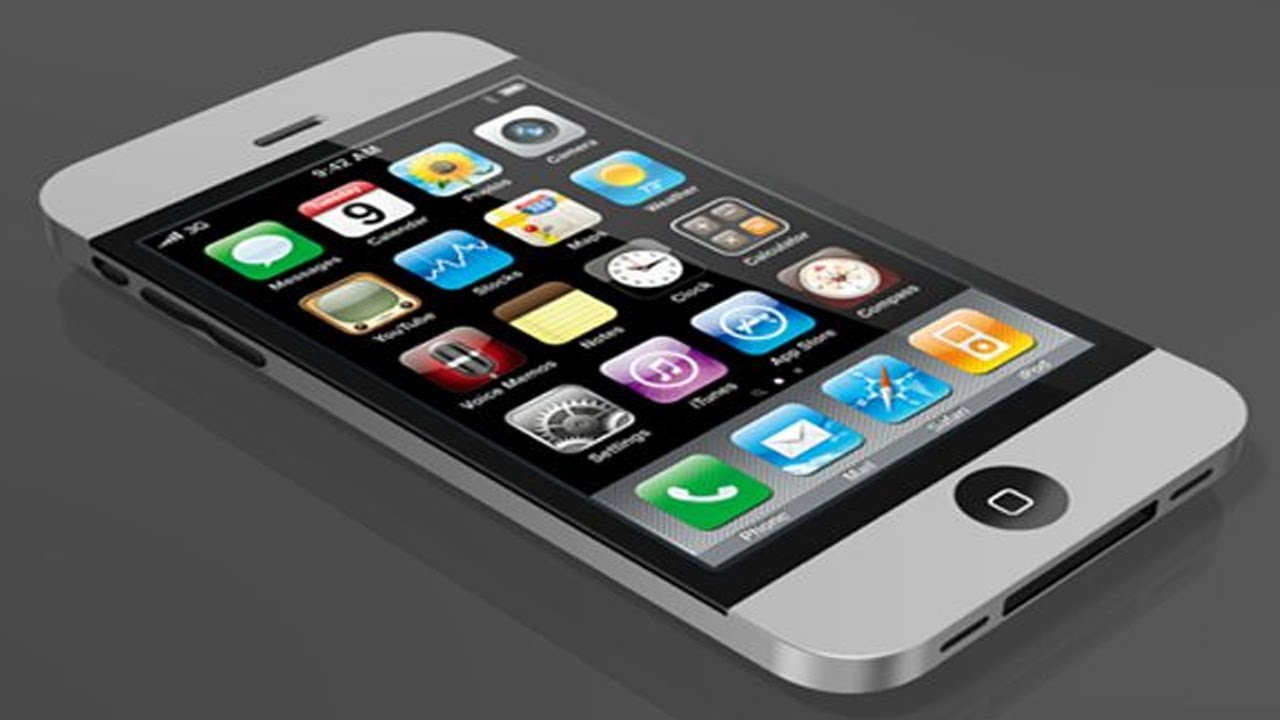
iPhone6.
The publishing world was turned upside down when the first e-books appeared 15 - 20 years ago.  The Kindle e-reader was not the first, but it is until now the most famous e-reader and helped Amazon to built their e-book imperium.  When you check out the 2015 e-book reader rating, one of the many Kindle types that are now on the market, the Voyage, is the “Gold Award Winner #1” for 2015. #2 is the NOOK GlowLight, then the Kobo Aura H20, and then another Kindle, the Paperwhite.  In North America these are the highest regarded ones. In Europe it looks a bit different, at least in Germany, the Tolino is on its way to surpass the Kindle.
.
Contrary to former predictions, not the e-reader - 
but the smartphone will be driving future book sales!
.
Tablets such as the iPad or the Kindle Fire are currently the most popular (41%) platform to read e-books, 11 % more than three years ago, but 3% less than last year.  However it’s not e-readers that will be driving future books sales, it’s the smartphone.  But people who read primarily on phones has risen to 14% in the first quarter of 2015 - from 9% in 2012, according to a Nielsen survey.  And about 54% of e-book buyers said they used smartphones to read their books sometimes.
Meanwhile, those reading mainly on e-readers, such as Kindles and Nooks, decreased over the same period to 32% from 50%.  Wattpad, the serial publishing platform, explains that phones are encouraging people to read more. 90% of their 40 million monthly users read on mobile devices.  Nearly two-thirds of respondents who read on their phones said they do it, because they didn’t have their e-reader or tablet with them.
.
Reasons to Read on the Phone
It might be convenience. If you are standing in line at the grocery store or the bus stop, waiting at the doctors or dentists office or riding home on the subway, you may not have a print book or an e-reader or tablet with you. But chances are, you are carrying a smartphone. And I have even seen people reading on their smartphones while pushing their baby’s strollers or walking their dog in the park - where an audiobook would be much more appropriate. Around 65% of American adults now own a smartphone, and predictions are that in a couple of years it will be over 80%
The size and clarity of new smartphone models, make reading easier - if you have good eyes I might add.  The release of the iPhone 6 series, Apple has seen an increase in the number of people downloading books through its iBooks app.  And among all new Amazon customers using Kindles or the Kindle app, phone readers are by far the fastest-growing segment.
.
Free Reading on SmartPhones at Trains and Airports
Publishers are now experimenting with ways to make the mobile reading experience better. They are designing book jackets with smartphone screens in mind. Simon & Schuster, for example, offers free e-books at hotels and airport lounges in New York, California, Missouri, Florida, Texas and Hawaii.  Users can read as much of each book as they like for free, while they stay within the prescribed geographical area. And Penguin Random House introduced free excerpts of e-books on Amtrak’s Acela Express trains.  Online e-book retailers, such as Amazon, Google, Apple and Barnes&Noble offer smartphone apps for reading books.  They automatically sync all devices linked to the same account, so a reader can open an e-book on her phone and pick up exactly where she left off the night before on her e-reader or tablet.
.
The literary world is divided over whether a phone can deliver the experience of deep, concentrated reading.  Scholars who study the subject note that smartphones are an important part of the effort to improve literacy in developing countries where books and computers are out of reach for many people.  Reading on a phone is better than not reading at all, these experts all agree.
.
Drawbacks of Phone Reading
A neuroscientist who studies the reading brain: “For most people, a phone will make concentrated reading more difficult - if not impossible."  It’s not as easy to share an e-book with friends as you can with print books.  Many people still read in print part of the time.  If deep, concentrated reading is possible despite the ringing, buzzing and alerts that come with phones - I am not sure.  Phones will certainly not replace print books altogether.
.
However, one should stop worrying about how other people are reading, 

and be glad that they are reading at all!

.

Phone Tips for eBook Readers
The blogger at EbookFriendly advises: “The underestimated power of smartphones is that they are great testing devices.  If you want to try ebooks, it doesn’t mean you have to immediately buy a Kindle.  Just get a free Kindle application for you mobile phone and you’ll learn – in no time – about all advantages of ebook reading.  Standard features of book reading applications are:
  • customization of font size and typeface,
  • themes or backgrounds to choose from (at least day and night mode),
  • text highlighting, note taking, bookmarks,
  • dictionary and reference,
  • instant access to ebooks stored in your cloud library,
  • syncing bookmarks and latest read locations,
  • ability to add your own books,
    .
Book reading apps usually let you discover new books within the app.  The exception is iOS, where this quite obvious feature is offered only by the Apple’s e-reading app iBooks.  Find more tips on his blog.  Smartphones are multi-purpose devices.  Reading ebooks will never be their primary purpose.  But they are extremely helpful in extending book reading to “not planned” places and circumstances.”  Read more here.
.
What About Audiobooks?
The question is whether the phone is appropriate for long-form reading, if other options are available.  Audiobooks are certainly an even better way of “reading” as you can listen to your favored book - hands-free - even if you are exercising in the gym or when you do intense gardening.  I personally love listening to audiobooks, especially on long road trips, when discerning radio stations are not available and I have listened too many times to the same CD’s.  In many cases, audiobooks have also proven successful in helping students to access literature and enjoy books.
.
The best phone screens are listed in a Cnet.com article
http://www.cnet.com/news/smartphones-with-killer-screens-roundup/

<><><><><>


Wednesday, December 31, 2014

111 Tips to Create Your Book Trailer

. 111-Tips-to-Create-Your-Book-Trailer 


 .

Book trailers are one of the best ways to introduce your book to millions of readers worldwide. Learn how to plan, create - and most important: market your video is step for step explained in this valuable guide book.  
Readers will explore which audience your trailer will attract for the genre of your book, how to find design ideas for book trailer, how to set the mood for your book, which music fits the style of your book, video software available, where to publicize your book trailer, just to name a few benefits.
e-Book,  Only $2.99


From Reviewers: "I found this book will inspire you to use video / book trailers for (book) promotions, whether you're new to video or a seasoned pro, as it shows you how easy it is to promote your book trailer." "This comprehensive guide breaks down the video creating process into manageable bites so it doesn't feel so overwhelming - even so the sheer number of links to tutorials and websites could give you the impression. Planing your video, gathering the necessary software, getting free music and images as well as the complete video-creating process are explained. Links to tutorials were extremely helpful for me as was the important video-marketing process." "It gives not only authors, but every small business valuable tips how video can be used to market products and services, and answers such important questions as:
  • Where do I get started with video?
  • How can I produce a video that delivers compelling reasons to buy my book?
  • Which software and hardware tools will work best for me?
  • Where are all these free video sharing sites to submit my video to, in order for it to go viral?"

Another reviewer wrote: "Stop! Just hit click and buy. The reference section alone is worth the $3. I doubt there is a better book out there for the average author/warrior. Just get it!"


 .

<><><><><>
.


 Hyper Smash


  Pingate

Friday, December 19, 2014

Tips and Tricks When Ordering from Amazon

.

I just ordered this little digital camera for only $79 (CDN$89) - and saved $40 - at Amazon. My NIKON had to go to "maintenance".   When I later read my order confirmation, I saw a $3.90 delivery charge, even as it showed "FREE delivery". Bummer, my fault: I had forgotten to tag "FREE delivery" and had to spend 32 minutes on the "helpline" to solve this.

However, mostly because I had dialed first their US line, and then, when they could not verify my order number, I realized the wrong country. I have two accounts, one in the US and one in Canada.  OK... "one of these days"...  
As Amazon doesn't put their phone numbers on the website, in case you need to call them about an order, here they are:

AMAZON  Retail Helpline #   
1-866-216-1072  ONLY USA   
1-877-586-3230     CANADA


Here Are Some Tips For Amazon Shopping:

When you click on Today’s Deals landing page, you will find the Best Deals section loaded with bargains in every category, and the Lightning Deals section with current sales, which are lasting only four hours or until the item is sold out.
.
Items that are both sold and shipped by Amazon will be tagged as eligible for Super Saver Shipping and is available only for orders over $35 or more.
DON’T FORGET to click on FREE SHIPPING!
.
Not all of the prices are the lowest available anywhere, especially if the seller is a third-party store. Compare the Amazon price with prices on other websites by using a site like PriceGrabber or DealNews.

.
Consider Amazon Prime
The $99/year service gives you free 2-(business)day shipping on much of Amazon's own products, and also includes access to a great library of streaming movies (and ebooks once a month), among other perks.

.


.

Third-Party Sellers:
Amazon is not the only retailer on their site, just as on eBay, there are other online retailers offering their wares on Amazon’s web page.  Check who is selling and who is shipping the item you want. An item may be shipped by Amazon on behalf of another seller with a returns or exchange policy that is different from Amazon’s.  Check out a seller's feedback rating before buying. If it has very few reviews or a satisfaction rating less than 90%, you may 

If you find an item at Amazon and you’re hoping the price will fall later, consider BuyLater. It’s an extension for Firefox, Chrome and Safari web browsers that adds a Buy This Later button to Amazon pages and, after you click it, sends you an email when the price changes.
.

More Detailed Tips Can Be Found in these Articles:
http://www.cnet.com/how-to/seven-tips-for-smarter-shopping-on-amazon/
http://www.huffingtonpost.com/2012/08/07/amazon-tips-tricks-tools-shop-like-a-pro_n_1738500.html

<><><><><>


.
Hyper Smash

Pingate

Wednesday, December 17, 2014

#1 Bestseller in Computer and Technology

.
Did you know that “all the programmers who created the first general-purpose computer were women”?  This is a book that tells about innovators like them, bonding and learning together in the 1940s, not just about wonky wonderboys past and present.
.

.

The Innovators: 
How a Group of Hackers, Geniuses, and Geeks Created the Digital Revolution
by Walter Isaacson (who also wrote Steve Jobs' Biography)

Hardcover
Amazon Price $21.00    (regular $35.00)

Kindle Edition
$21.26


.

Can You Believe?  The e-Book is Higher Priced than the Hardcover!


.
Excerpts from Reviews:
"An Amazon Best Book of the Month, October 2014: Many books have been written about Silicon Valley and the collection of geniuses, eccentrics, and mavericks who launched the “Digital Revolution” and it's certainly one hell of a read." (John Foro)

"His book is most memorable not for its intricate accounts of astounding breakthroughs and the business dramas that followed, but rather for the quieter moments in which we realize that most primal drive for innovators is a need to feel childlike joy.” (New York Times Book Review)"
.
.

"The Innovators is one of the most organically optimistic books I think I've ever read. It is a stirring reminder of what Americans are capable of doing when they think big, risk failure, and work together.”  (Jeffrey Goldberg The Atlantic)"

"Isaacson manages to bring together the entire universe of computing, from the first digitized loom to the web, presented in a very accessible manner that often reads like a thriller.” (Booklist - starred review)"


<><><><><>


Wednesday, November 26, 2014

Thanksgiving Special: Kingston 16 GB Class 10 MicroSD Flash Card


Kingston 16 GB Class 10 MicroSD Flash Card with SD Adapter SDC10/16GB


Save 94% TODAY

List Price: CDN$ 192.54
Price: CDN$ 11.15 & FREE Shipping on orders over CDN$ 25. 
You Save: CDN$ 181.39 (94%)

Without the adapter:  only $7.49
32 GigaByte: $12.99
64 GigaByte: $35.76
.


What is a Secure Digital Card?
PC Magazine explains: "With most people carrying around smartphones, MP3 players, digital cameras, pocket camcorders, or all of them, flash memory cards have become a requirement for keeping your digital life running smoothly. If you got a shiny new device that can snap photos or play music, odds are (unless, of course, it's an Apple product) it's going to use a flash memory card to offer additional storage capacity. To get more granular, it's most likely going to use some variety of Secure Digital (SD) card. SD has emerged as the dominant flash memory format, but it's not that simple. There are scores of SD cards of all shapes, sizes, and speeds available, so picking the right one for each device can be slightly confusing."
Read more: 
http://www.pcmag.com/article2/0,2817,2388408,00.asp


.
<><><><><>

.